⚡ Official 3-Star Tally Partner in UAE
TallyPrime Download & First-Time Installation Setup Guide for UAE
Step-by-Step Official Download, Windows Setup, License Activation & UAE VAT Configuration
Need a safe, dependable TallyPrime download for UAE? This comprehensive guide walks you through getting the software from the official source, installing it on Windows 11/10, activating your licence, and setting up the accounting basics for a business operating in the Emirates.
Serving over 4,000 corporate clients across Dubai, Abu Dhabi, Sharjah, and the Northern Emirates since 2006.
Download TallyPrime for UAE
TallyPrime is an integrated business management suite covering accounting, inventory, taxation, invoicing, and reporting. Companies trading in the UAE can set up their books with local details and VAT requirements built in from day one.
⚠️ Critical Download Rule: Always take the installer directly from the official Tally Solutions portal or an authorized 3-Star partner like CSH LLC. Third-party portals, torrents, and unofficial mirrors often circulate modified or unsafe setup files that put financial records at severe risk.
TallyPrime System Requirements
Before you begin the Tally software download and installation, confirm your computer or office server meets the recommended hardware configuration:
✓Operating System: 64-bit Windows OS (Windows 11, Windows 10, Windows 8, Windows 7)
✓Processor: 64-bit processor running at 1.8 GHz or above
✓RAM: 4 GB RAM (8 GB+ recommended for heavy transaction volume)
✓Disk Space: Adequate free SSD/HDD space for software & company database
✓Screen Resolution: 1366 × 768 or better display resolution
✓Privileges: Administrator rights on the target installation computer
🌐 Multi-User Requirement: Planning a multi-user setup? You will also need a steady local area network (LAN) linking every workstation to the central system hosting TallyPrime Gold.
How to Install TallyPrime for the First Time
Once the TallyPrime setup file has finished downloading, work through these three simple steps:
Step 1
Open the Setup File
Open your Downloads folder, locate the saved setup file, and double-click setup.exe. When Windows asks for administrator permission, approve it to let the installer run.
Step 2
Select “Install New”
Since this is a fresh setup, select Install New. TallyPrime installs by default to C:\Program Files\TallyPrime. You can customize the path if required by IT policy.
Step 3
Install & Launch
Click Install and let the setup run to completion. When finished, click Start TallyPrime to launch your new accounting workspace immediately.
Activate Your TallyPrime Licence
Bought a new TallyPrime license? Activate it immediately after installation is complete. Keep these four credentials handy:
🔑 Required Activation Details
Have the following credentials from your official CSH LLC invoice ready:
- 1. TallyPrime License Serial Number
- 2. Activation Key
- 3. Registered administrator email / Tally.NET ID
- 4. Unlock Key delivered to your email inbox
⚙️ Single-User vs Multi-User (LAN) Setup
Silver (Single User): Activated directly on your standalone PC.
Gold (Multi User): Activate on your primary server/PC, then point client workstations on the same LAN to draw the license automatically over the network.
First-Time TallyPrime Setup for a UAE Company
With installation finished and license active, you are ready to configure your UAE company database in TallyPrime:
Shortcut: Press Alt + K (Company) → Create to open the company creation screen.
🏢 1. Company Identification Details
Enter your exact legal company name, trade license address, Emirate (Dubai, Abu Dhabi, Sharjah, etc.), and contact phone numbers.
🇦🇪 2. Crucial: Country Selection
Select United Arab Emirates as Country. This single choice unlocks the UAE-specific FTA VAT rules, currency format (AED), and tax return templates.
📅 3. Financial Year & Security
Set your Financial Year beginning from (e.g. 01-Jan or 01-Apr), Books beginning date, Base Currency Symbol (AED), and user security permissions.
Configure UAE VAT & e-Invoicing Readiness
If your business is VAT-registered with the Federal Tax Authority (FTA), configure your tax settings before recording transactions:
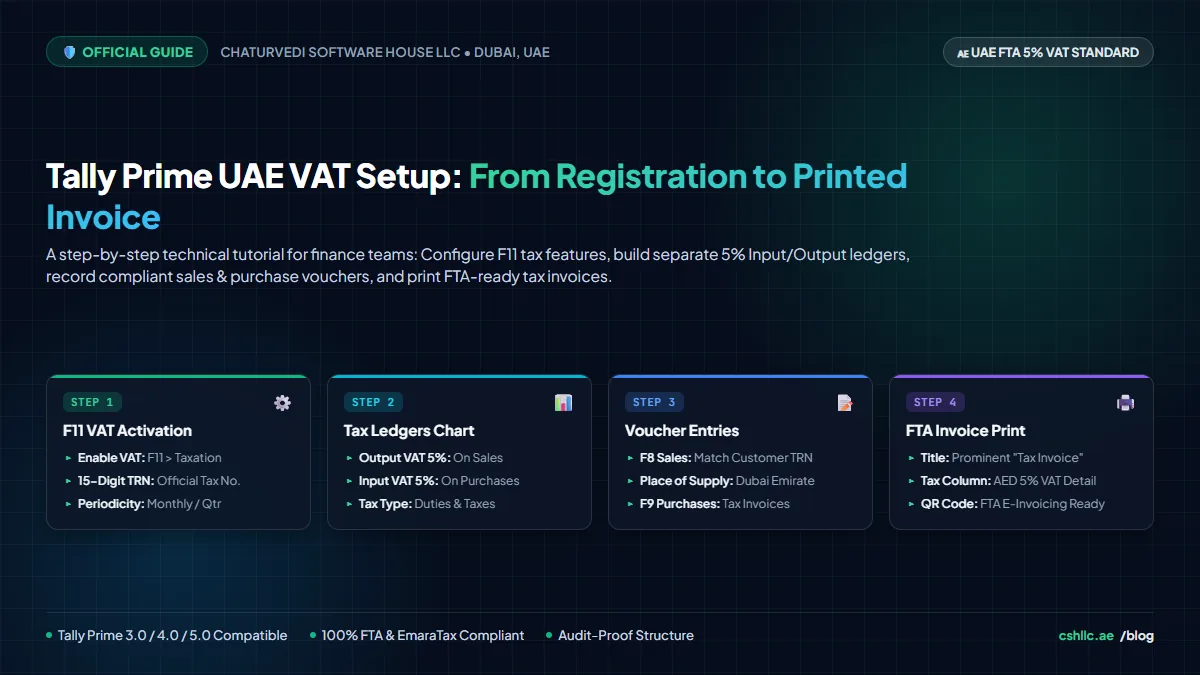
✓Tax Registration Number (TRN): Key in your 15-digit FTA TRN correctly
✓VAT Applicability: Set standard 5% VAT, zero-rated exports, and exempt supplies
✓Designated Zones: Configure specific tax treatments for UAE free zones
✓Bilingual Tax Invoices: Enable English/Arabic FTA-compliant tax invoice layouts
✓Automated VAT 201: Generate audit-ready VAT 201 returns with zero reconciliation errors
✓UAE e-Invoicing: Ensure ledgers and voucher types comply with the upcoming UAE e-Invoicing standard
After Installation: Recommended 12-Point Setup Checklist
Complete this essential checklist before making TallyPrime your live day-to-day accounting engine:
1. Create your official UAE company
2. Confirm financial year & books start date
3. Configure UAE VAT & tax periods
4. Double-check company 15-digit TRN
5. Build Chart of Accounts & ledgers
6. Set up customer & supplier records with TRNs
7. Create stock items, units & godowns
8. Configure sales & purchase voucher types
9. Configure invoice printing with company logo
10. Define user security & access permissions
11. Set up scheduled daily automated data backups
12. Post a sample test entry and verify reports
TallyPrime Download & Setup FAQs
Common questions regarding software download, system compatibility, and UAE setup.
Q: Where can I download TallyPrime?
Straight from the official Tally Solutions website or through an authorized 3-Star partner like Chaturvedi Software House LLC (CSH LLC). Going to the authorized source ensures your installer is authentic, virus-free, and up to date.
Q: Is TallyPrime available for UAE businesses?
Yes. TallyPrime fully supports companies operating across Dubai, Abu Dhabi, Sharjah, and the UAE, with UAE VAT and FTA compliance rules integrated natively.
Q: Can I install TallyPrime on Windows 11?
Yes. Windows 11 is 100% supported alongside 64-bit Windows 10, Windows 8, and Windows 7 environments.
Q: Can I use TallyPrime on multiple computers?
Yes. For multi-user environments, businesses deploy a TallyPrime Gold license and connect users over an office local network (LAN) or secure cloud server.
Q: Do I need a licence before downloading TallyPrime?
No — downloading and installing come first, activation after. You can test Tally in educational mode and unlock full capabilities once you enter your Serial Number and Activation Key.
⭐ VERIFIED GOOGLE CLIENT REVIEWS
Client Feedback for TallyPrime Setup & Support
★★★★★📍 Google Verified
“CSH LLC handled our TallyPrime multi-user LAN setup and VAT configuration in Bur Dubai with zero downtime. Highly recommended!”
R
Rajesh KumarDubai Trading LLC
★★★★★📍 Google Verified
“Fast response and expert Tally implementation. They structured our multi-godown stock and bilingual invoice templates perfectly.”
A
Ahmed Al MansooriGCC Logistics Group
📍 DUBAI HEAD OFFICE & SUPPORT HUB
Chaturvedi Software House LLC
Official 3-Star Certified Tally Partner in Dubai. Consult directly with our software specialists at our Bur Dubai headquarters.
Need Help with TallyPrime Download or First-Time Setup in UAE?
Want a hand with installation, UAE VAT configuration, migrating existing data, or getting a multi-user environment running? Reach out to our certified Tally team today.